
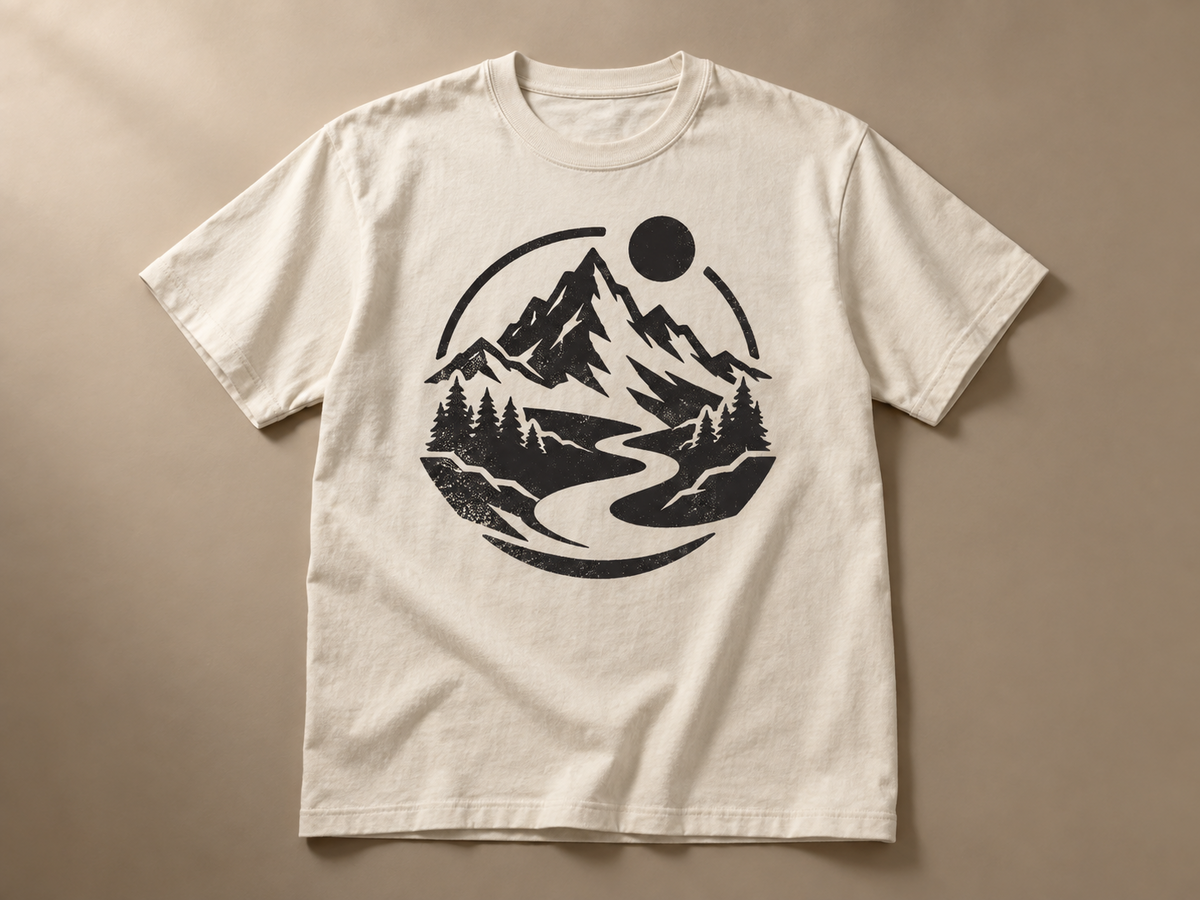
Outdoor community club tee
Street graphic style, ink black on a warm bone shirt: a simplified mountain and trail mark drawn as one bold emblem, generated as square art, cut to a transparent PNG, then centered on a full-front mockup before download.
These are original Banana Pro AI directions, generated for this page and not borrowed from another store. Your own run will differ in shape and color, so treat each case as a starting brief rather than a fixed template.
Street graphic style, ink black on a warm bone shirt: a simplified mountain and trail mark drawn as one bold emblem, generated as square art, cut to a transparent PNG, then centered on a full-front mockup before download.
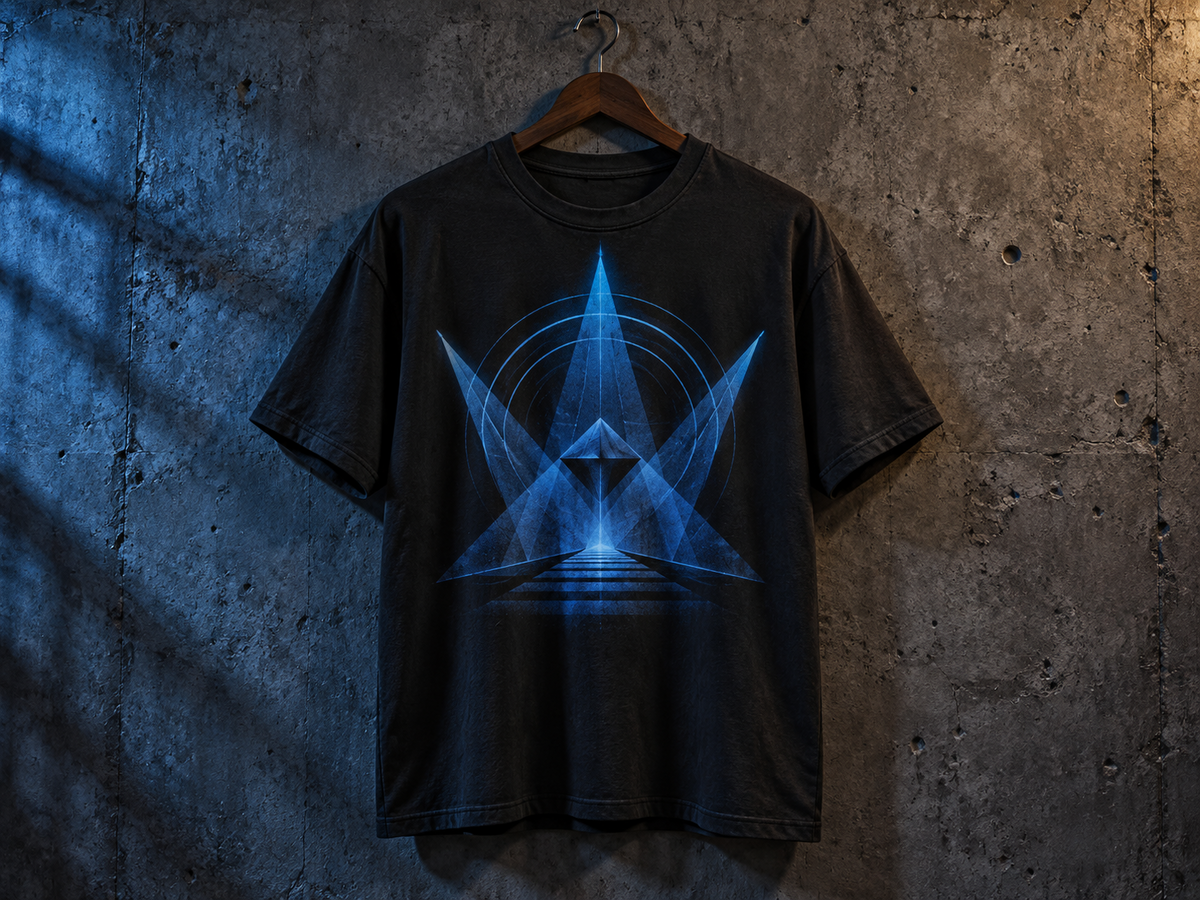
Geometric style, cobalt ink on a dark shirt: angular shapes stacked into a symmetrical stage-light motif, with a short band name added as an editable text layer under the mark, so every letter is spelled exactly as typed.
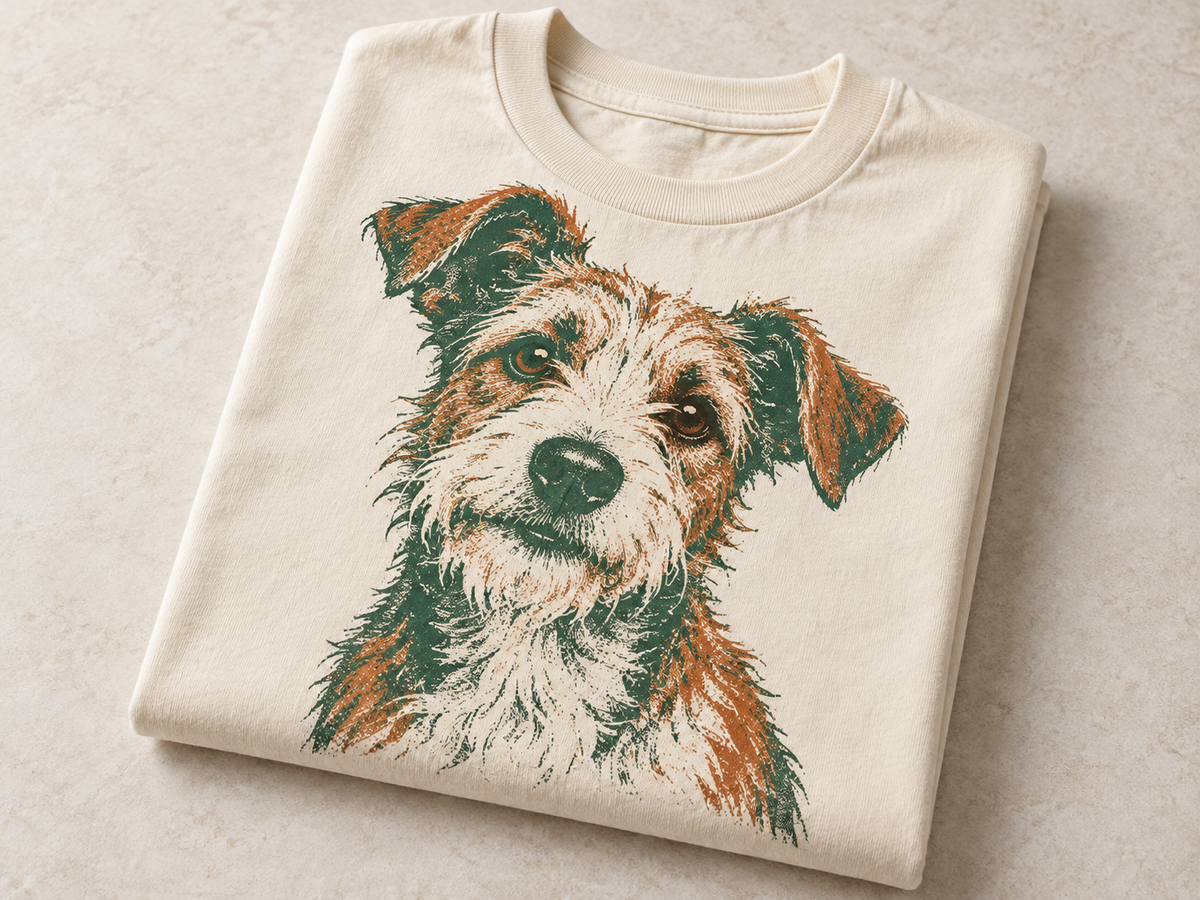
Retro illustration style, forest ink on a light shirt: a reference photo of a consenting pet redrawn as a single retail-ready POD graphic, cut cleanly to transparency, then shown on both shirt tones.
One print-ready graphic, front or chest
An AI T-shirt design generator is a web tool that turns a written idea or a permitted reference image into one original graphic built for apparel printing, then isolates the artwork onto a transparent PNG so you can place it on a shirt. This page generates the printable artwork itself; the light and dark shirt mockups are a preview that shows how the same file reads on different garment colors. You type the slogan separately as an editable text layer, so your spelling stays exact instead of being guessed by an image model.
This is a focused print studio, not a full canvas editor. It does four jobs well and stops there.
Every run returns one printable artwork file. It does not change a model's clothing, does not generate a full product photo, and does not output vector paths, so a raster PNG is never passed off as a vector.
The AI draws the motif; a fixed canvas controls margins, print area, and export size. Text overlay, color, shirt tone, and placement are applied locally, so the file you download matches the preview pixel for pixel.
The transparent PNG keeps the artwork separate from the garment, so you can reuse the same file across shirt colors, drop it into a print-on-demand uploader, or hand it to the mockup tool next.
Type a short brief, or upload one reference image you have rights to use, then choose a print style and the dominant ink color. Human references must show a consenting adult, and celebrity likenesses are not allowed.
Generate spends 20 credits and creates the artwork without lettering. When the image is ready, the cutout step spends 3 credits and uses the stored result to return a transparent PNG, so the print has no white box around it.
Type your slogan, pick a size and position, then preview the same file on a light and a dark shirt. Editing the slogan, color, or placement recomposes the preview locally and never spends credits.
A chest print reads best with one clear subject and real breathing room. Tall, thin, full-bleed designs lose detail on a torso, so leave a generous margin inside the print area.
Dark ink disappears on a dark shirt and light ink disappears on a light shirt. The dual mockup preview is there so you catch low-contrast artwork before you publish a listing.
Image models often garble lettering. This page keeps generated art text-free and renders your slogan as a real text layer, so brand names and dates stay correctly spelled.
People researching a T-shirt design tool usually weigh a focused generator against a broad design suite. This is a workflow comparison, not a quality score, and it does not link out to those products.
| Product | Best for | What you get | Cost shape |
|---|---|---|---|
| Banana Pro AI | Turning a written idea or one reference into one print-ready graphic, then seeing it on light and dark shirts without editing a full canvas | Transparent PNG artwork plus light/dark shirt mockup previews, with an editable slogan layer | Pay per run: 20 credits to generate, 3 to cut out; slogan, color, and placement are free |
| Kittl | Template-led T-shirt layouts inside a larger graphic design suite | Editable design projects with templates, fonts, and export options | Account and subscription plans, not a per-graphic credit pair |
| Canva | Broad marketing and social design beyond apparel | Multi-purpose design files across many formats and sizes | Free tier plus subscription (Canva Pro) |
Reviewed September 24, 2026.
Yes. Reference mode accepts one JPG, PNG, or WebP you have rights to use. Human subjects must be consenting adults, and child photos, celebrity likenesses, and protected characters are not allowed. The reference guides an original redraw; it is not pasted onto the shirt.
You get a transparent PNG of the print on a fixed 3000 by 3600 pixel canvas, plus a PNG preview of that same file composited on a light or dark shirt. The artwork keeps its transparency, so there is no white background box behind the graphic.
Yes. The slogan is a separate editable text layer, not part of the AI image. Change the words, size, color, or position and the preview updates instantly at no extra credit cost, which is why names and dates stay correctly spelled.
No. This page runs on credits: 20 to generate the artwork and 3 for the background cutout. The local text and mockup tools are free. If a paid step fails, its credits are returned under the existing task rules.
It is a high-resolution transparent PNG exported on a fixed print canvas, which suits most print-on-demand uploaders. Always check your printer's own file, color, and size requirements before publishing, because every POD service sets its own limits.
The generator is instructed to keep the artwork free of lettering. Words are added only through your editable slogan layer, so the graphic itself stays clean and your type stays correct.