
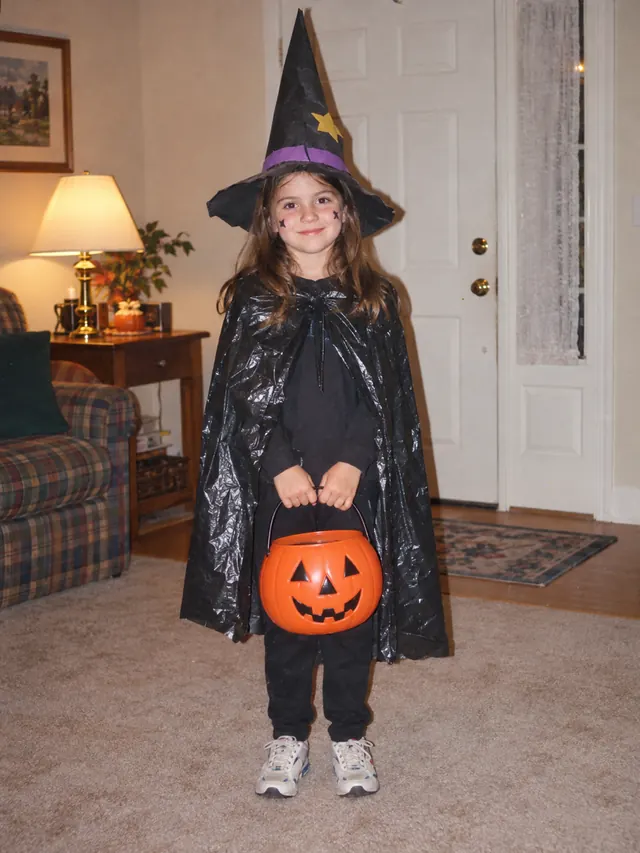

01 / witch
Trash-bag witch to velvet witch
A paper hat and plastic cape become a velvet dress, embroidered star cape and real broom on a lantern-lit forest path. Same girl, same age, same star face paint.
HALLOWEEN COSTUME REDO
Find the Halloween photo where the costume did not quite come together: the trash-bag cape, the paper crown, the pajamas with a drawn-on logo. Upload it, name the costume you really wanted, and get the finished version back as a 9:16 slide for your before-and-after post.
Start my costume redoThe old photo stays the star.
The first slide is your real childhood picture. The redo follows its face and age, so the joke lands: same kid, the costume they always had in mind.
COSTUME REDO STUDIO
Upload the old Halloween photo, name the costume you meant, pick your favorite redos and export the before-and-after slides.
01 / THE OLD PHOTO
You in the old costume · JPG, PNG or WebP · up to 5 MB
Only used when you pick "As I am now". Your childhood photo stays slide one.
Add a current photo above to use "As I am now".
02 / THE COSTUME
Up to 120 characters. Quick picks just fill in this box.
Quick picks
Each redo is its own image. You pick favorites afterwards.
03 / MAKE THE REDOS
Slide one, then the redo
Two slides, one swipe. Upload your own childhood photo and your redos land right here.
BEFORE AND AFTER
Each pair is the slideshow the trend uses: the homemade original on slide one, the finished costume on slide two. Look at how the face, smile and age carry over while the costume changes.
01 / witch
A paper hat and plastic cape become a velvet dress, embroidered star cape and real broom on a lantern-lit forest path. Same girl, same age, same star face paint.
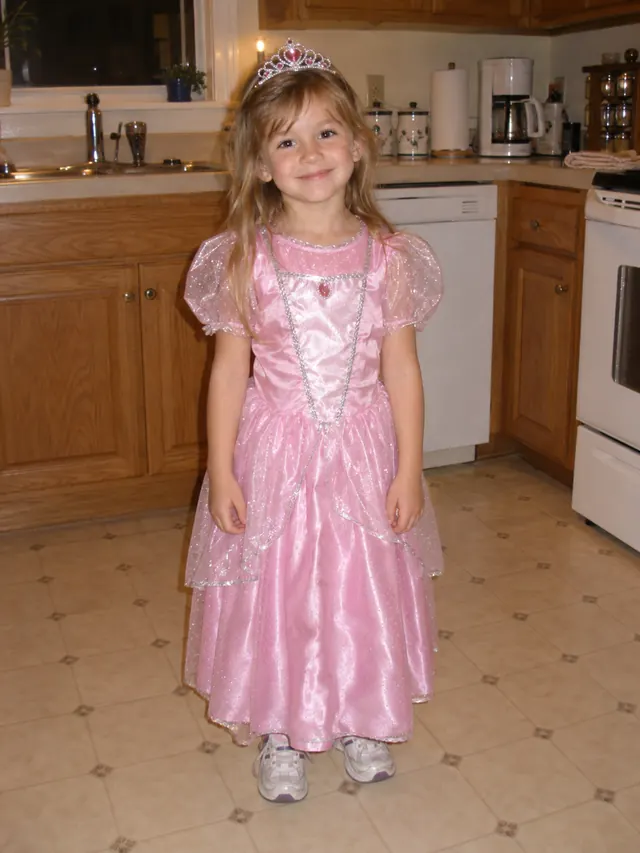
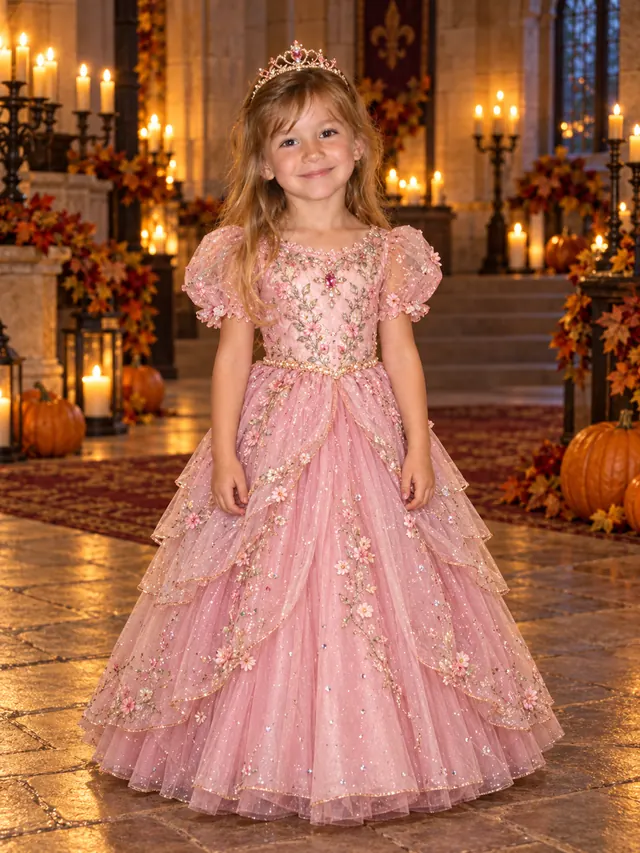
02 / princess
The shiny store-bought dress and toy tiara get layered tulle, floral embroidery and a candlelit hall with pumpkins. The redo keeps her age and smile.
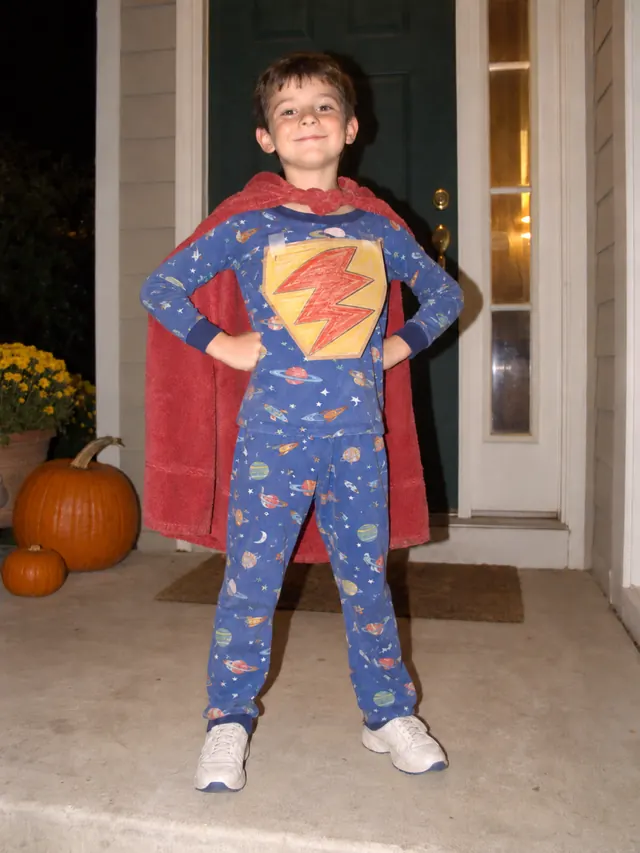

03 / superhero
A boy in space pajamas, a towel cape and a hand-drawn bolt, redone as the adult he is now: a fitted hero suit and full cape that keep his own bolt design. This is the "as I am now" style of redo.
THE TREND
It is a two-slide photo post. The first slide is a real Halloween picture from when you were little, usually a costume that was a little rough: a cape made from a garbage bag, a costume that was mostly pajamas, a store-bought outfit that looked nothing like the box. The second slide shows that same costume done the way you pictured it at the time. The caption or on-screen text reads "im sorry i lied", and the post runs as a slideshow over the sound the trend uses.
The joke works because the first photo is genuine. That is why this page treats your childhood picture as the source of truth. The redo keeps the face, hair and age from that photo by default, so slide two reads as the same kid in a better costume. If you would rather show who you are today in the costume you always wanted, add a current photo and switch to the "as I am now" redo.
Everything is made for the format people actually post: every redo is vertical 9:16, and the export step turns your old photo and the redos you pick into 1080×1920 slides, numbered in the order you set. You can add the trend caption to the first slide, then post the files as a photo carousel without opening a separate editing app.
STEP BY STEP
A clear, front-facing childhood photo gives the best redo. Old prints photographed on a phone work as long as the face is visible and not covered by a mask.
Add one JPG, PNG or WebP up to 5 MB showing you in the old costume. Crop out other people first if you can. You can also add a photo of yourself today; it is only used when you switch to the "as I am now" redo.
Type the costume you were going for, like witch, astronaut or a pumpkin, or tap one of the quick picks. Choose one, two or four candidates. The full price for the batch is shown on the button before you start.
Select the redos you like, move them up or down, choose fit or fill framing, and turn the "im sorry i lied" caption on or off. Download a ZIP of numbered 1080×1920 slides, or save them one at a time on a phone.
POSTING IT
The trend is a photo post, not a video edit, so you do not need a template app. Once your slides are saved to your phone:
Open one of the trend posts you have seen, tap the sound name at the bottom, then tap Use sound. The sound page lists the posts that use it, which is the quickest way to check you have the right one.
In the upload screen choose your photos instead of a video. Select 01-before first, then the after slides in their numbered order so the old costume shows first.
If you exported without the caption, add the text "im sorry i lied" over the first photo in TikTok. Let the first slide sit a moment before the swipe to the redo.
The same 9:16 files work as an Instagram carousel or a Reels photo post. Pick the audio there and keep the slide order the same.
QUESTIONS
A Halloween slideshow trend: slide one is a real childhood costume photo that did not quite work out, slide two is that costume redone properly. The on-screen text says "im sorry i lied" and the slides play over the trend's sound.
Most posts use one shared TikTok sound that is listed under a generic "original sound" name. Rather than guess the title, open a trend post you like, tap the sound at the bottom and choose Use sound. That always gives you the exact audio the trend uses.
Upload your childhood Halloween photo here, name the costume, and generate one to four redos. Pick the ones you like, set their order, and export. You get numbered 1080×1920 slides, starting with your original photo, ready to post as a photo carousel.
Generating redos uses credits, and the exact batch price is shown on the button before you start. Exporting and downloading the slides costs nothing extra.
Yes. The trend is a photo post, so you only need the image files. This page exports the slides at the right 9:16 size with the caption already on the first one if you want it, and TikTok's own photo mode handles the rest.
Yes. Add a current photo next to the childhood one and choose "as I am now". The redo then follows your face and age today and only borrows the costume idea from the childhood picture. The childhood photo is still slide one.
MORE TO MAKE
Keep going with another outfit change, a longer carousel, or a free-form photo edit.
BEFORE OCTOBER 31
Find the photo, name the costume you meant, and have both slides ready to post tonight.