
Veo 3.1 Audio-Integrated Video Studio
Veo 3.1 delivers sophisticated AI video generation with HD clarity, built-in audio synthesis, precise boundary frame control, and advanced scene composition tools.
Video Generator
No Videos Generated
Creator Feedback on Veo 3.1
Explore real testimonials from content creators leveraging Veo 3.1 for audio-visual production.
Meet Veo 3.1: Audio-Visual AI Innovation
Veo 3.1 embodies cutting-edge AI video technology, generating HD content with seamlessly integrated audio, boundary frame precision, and intelligent element addition and subtraction capabilities.

Built-in audio synthesis
Veo 3.1 produces authentic speech, harmonized sound effects, and atmospheric ambient audio that integrates flawlessly with visual content.
Boundary frame specification
Establish opening and closing frames for meticulous control over shot arrangement and narrative progression with Veo 3.1.
Element addition and subtraction
Introduce objects or characters with authentic illumination, or eliminate unwanted elements with seamless background reconstruction.
Elevated visual authenticity
Veo 3.1 produces consistent object physics, movement, shadow casting, and illumination for polished, artifact-free footage.
Veo 3.1 Technical Toolkit
Fundamental Veo 3.1 capabilities for producing broadcast-ready videos with seamless audio integration.
Description-to-video conversion
Veo 3.1 interprets written descriptions and renders 1080p footage with organic motion and immersive audio.
Harmonized audio layers
Veo 3.1 creates dialogue, effects, and ambient soundscapes that align perfectly with on-screen visual action.
720p/1080p cinema framerate
Veo 3.1 delivers sharp 720p or 1080p output at smooth 24 FPS for professional-grade results.
Opening/closing frame anchors
Designate start and end frames to precisely orchestrate shot composition with Veo 3.1 technology.
Element compositing
Integrate characters or objects into existing footage with authentic shadows, illumination, and physical plausibility.
Flexible duration options
Produce 4, 6, or 8-second videos in landscape (16:9) or portrait (9:16) orientations with Veo 3.1.
Veo 3.1 Production Pathways
Select the Veo 3.1 creation approach that matches your project specifications.
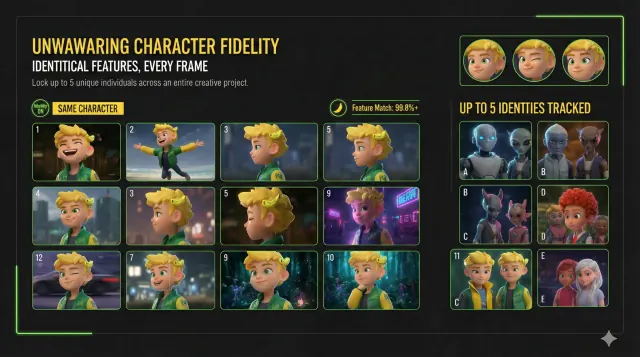
Prompt-Based Generation
Transform descriptions into audio-visual reality
Compose a thorough description and Veo 3.1 materializes cinematic footage with unified visuals, synchronized audio, and natural motion dynamics.
Embed cinematographic instructions and audio specifications to shape your output.
Optimal for concept visualization, promotional material, and narrative content creation.

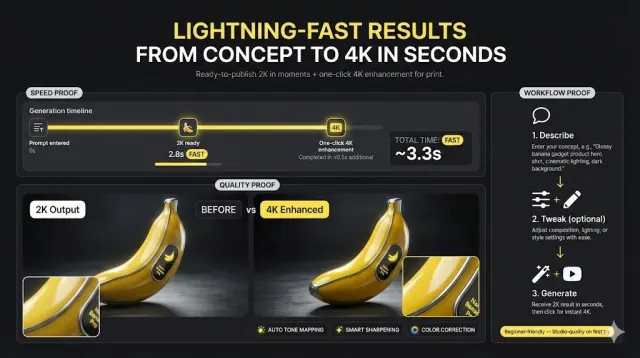
Generating Videos with Veo 3.1
An efficient workflow for producing HD videos with seamlessly integrated audio.
Compose your description
Detail your scene including subjects, actions, environments, and audio specifications for Veo 3.1 processing.
Adjust parameters
Select video duration (4/6/8s), resolution tier (720p/1080p), and frame orientation for Veo 3.1 output.
Execute and perfect
Initiate Veo 3.1 rendering, evaluate the audio-visual output, and iterate for refined results.
Veo 3.1 Frequently Asked Questions
Answers to common inquiries about Veo 3.1 video generation, technical features, and access options.
Exploring subscription options? Check our pricing page.
Start Your Veo 3.1 Production
Transform your creative concepts into HD videos with seamlessly integrated audio using Veo 3.1 technology.