Limited Offer
Get 50% OFF on Annual Plans→

BANANA PRO AI · PROMPT GALLERY

GPT Image 2.5
prompt gallery

Explore eight GPT Image 2.5 prompts with original images, creator credits, and practical tips. Choose an example, adapt the brief, and copy your prompt.

8 source-backed examplesNo signup to copy

Curated by Banana Pro AI · Sources reviewed September 9, 2026

Johnny Wang’s source image of a farmhouse reflected above an immense submerged structure
ORIGINAL SOURCE IMAGEJohnny Wang · @JohnnyWang8802 ↗

LESS GUESSWORK. A BETTER BRIEF.

Find your GPT Image 2.5 prompt

8 prompts
Art01
Johnny Wang’s source image of a farmhouse reflected above an immense submerged structureJohnny Wang · @JohnnyWang8802 ↗

A world beneath the reflection

A cinematic scene with an impossible reflection.

Text-to-image. The author specifies a 2.39:1 composition.

How to adapt this prompt

Keep the physical scene and its impossible reflection in separate sentences. Change the setting first; preserve the relationship between the two light sources while evaluating a variation.

Link to this example
Read full prompt

A film still, 2.39:1. A flooded plain at civil twilight, water 20 cm deep and mirror-still to the horizon, a farmhouse and three poplars standing in it. Ordinary, terrestrial, quiet. The reflection does not match: in the water lies not this sky but a different one, deeper, containing the underside of an immense ribbed surface receding to a vanishing point below the viewer. The real sky above is featureless pale grey. Light is doing real work: the pale sky lights the scene from above, while the reflected structure's distant apertures throw a second, weaker, cooler light upward, so the poplars' undersides are lit from below and cast faint inverted shadows on their own foliage. A child in a dark coat walks toward the farmhouse, knee-deep, occupying 1/1200 of the frame. Her wake breaks only her own reflection; the structure's reflection remains perfectly still. Anamorphic, natural light only, desaturated to near-monochrome, slight halation, 35mm grain, no digital sharpening.

View source ↗
Community prompt
Design02
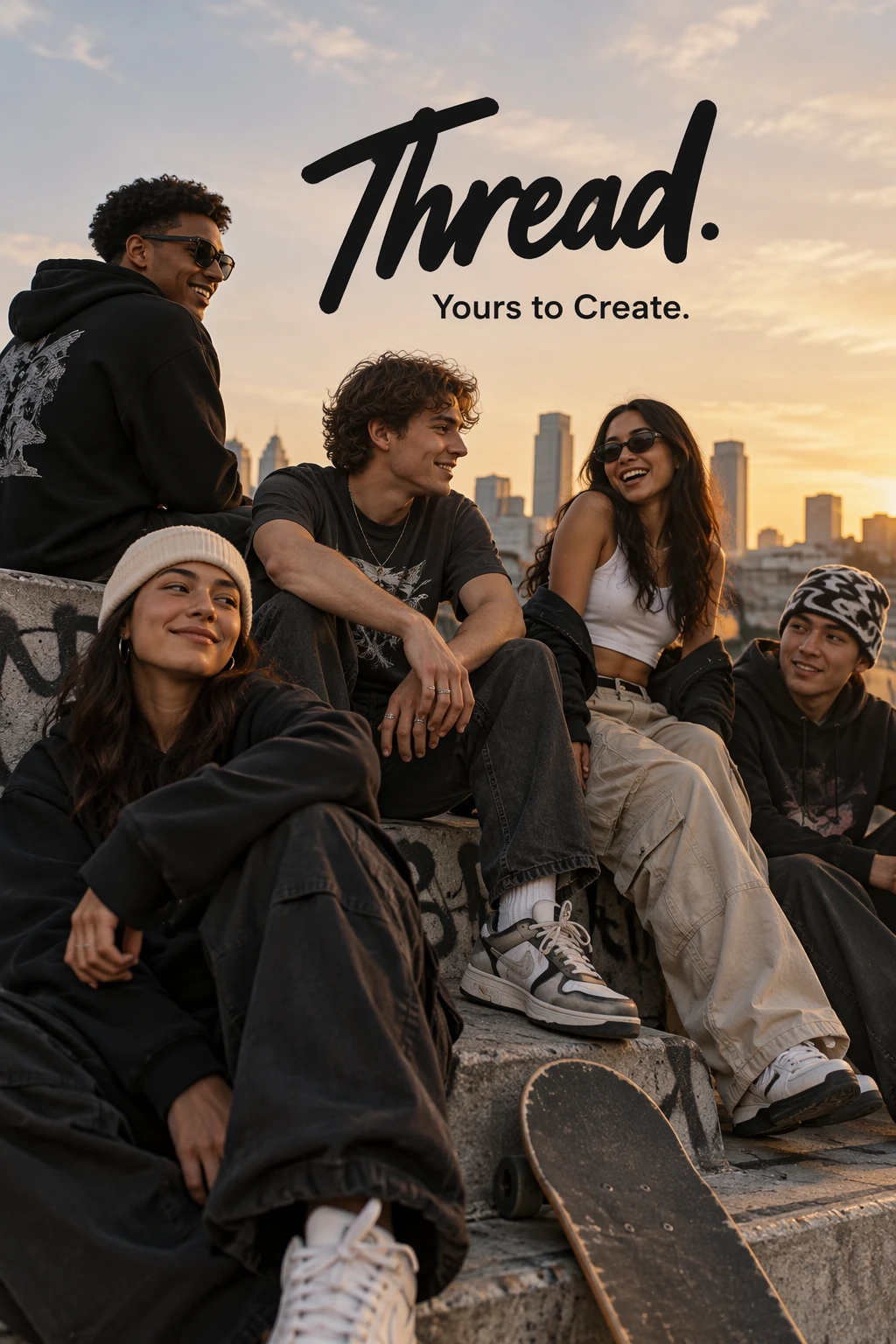
OpenAI’s Thread streetwear campaign example generated with SunburstOpenAI ↗

Streetwear with an exact tagline

Official campaign example.

Text-to-image. Official settings: 1024×1536, medium quality.

How to adapt this prompt

Replace the brand and tagline, then put your exact wording in quotation marks. Check spelling and unwanted extra text before choosing an image for a campaign.

Link to this example
Read full prompt

Give me a cool in culture ad / fashion shot for a brand called Thread. It's a hip young street brand. The ad shows a group of friends hanging out together with the tagline "Yours to Create." Make it feel like a polished campaign image for a youth streetwear audience: stylish, contemporary, energetic, and tasteful. Use clean composition, strong color direction, natural poses, and premium fashion photography cues. Render the tagline exactly once, clearly and legibly, integrated into the ad layout. No extra text, no watermarks, no unrelated logos.

View source ↗
Official prompt
Editing03
Higgsfield’s original three-panel lamp-position comparison, including source, GPT Image 2.5 and GPT Image 2.0Higgsfield AI · @higgsfield_ai ↗

Move the lamp. Follow the light.

A published comparison of a single lighting edit.

Reference image required. The original post shows its input and comparison together.

How to adapt this prompt

Specify the object and destination together. Compare the shadows and the old lamp position as well as the moved object; changing position can require changes elsewhere in the image.

Link to this example
Read full prompt

Move the lamp to the right

View source ↗
Community prompt
Art04
DeepBlue’s original image from the sketch experimentDeepBlue深藍 · @DeepBlueX0 ↗

From a sketch to a new world

A sketch experiment; the author notes the intended subject was a shark.

Upload a sketch. This conversational prompt asks for a style choice.

How to adapt this prompt

Decide whether you want inspiration or close fidelity. This source prompt permits reinterpretation; add explicit constraints for shapes or characters that must remain recognizable.

Link to this example
Read full prompt

Create an original artwork inspired by the attached sketch. Preserve its subject, emotion, and gesture—not its exact strokes or shapes. Boldly reimagine its forms, proportions, colors, materials, and details. Never trace or retain the original lines; integrate their ideas naturally through texture, lighting, and color. For simple sketches, invent a richer interpretation. Ask me about preferred artistic style with a few options.

View source ↗
Community prompt
People05
Nuri Yıldız’s source image of a nostalgic selfie with ALFNuri Yıldız · @nouryyildiz ↗

A nostalgic sitcom selfie

A reference-photo experiment shared by its creator.

Upload your own portrait. The author’s personal input photo is not supplied here.

How to adapt this prompt

Use your own reference portrait. Separate identity instructions from period, lighting, and framing, then check facial resemblance before changing the style further.

Link to this example
Read full prompt

Use my uploaded photo as reference. Create a photorealistic early-1990s candid selfie with ALF on the sitcom set. Keep my face recognizable. No camera visible. Warm vintage TV lighting, natural smiles, slight 35mm grain, imperfect snapshot framing, 4:3.

View source ↗
Community prompt
Design06
Vercel Developers’ original AI Gateway vintage sign exampleVercel Developers · @vercel_dev ↗

Four words. A vintage sign.

A Sunburst example published by Vercel Developers.

Text-to-image. Prompt typography has been normalized from the post’s monospace Unicode.

How to adapt this prompt

This is a minimal starting point. Add the exact sign text, material, and setting when the design needs to meet a specific brief; avoid assuming four words define every detail.

Link to this example
Read full prompt

AI Gateway vintage sign

View source ↗
Community prompt
Editing07
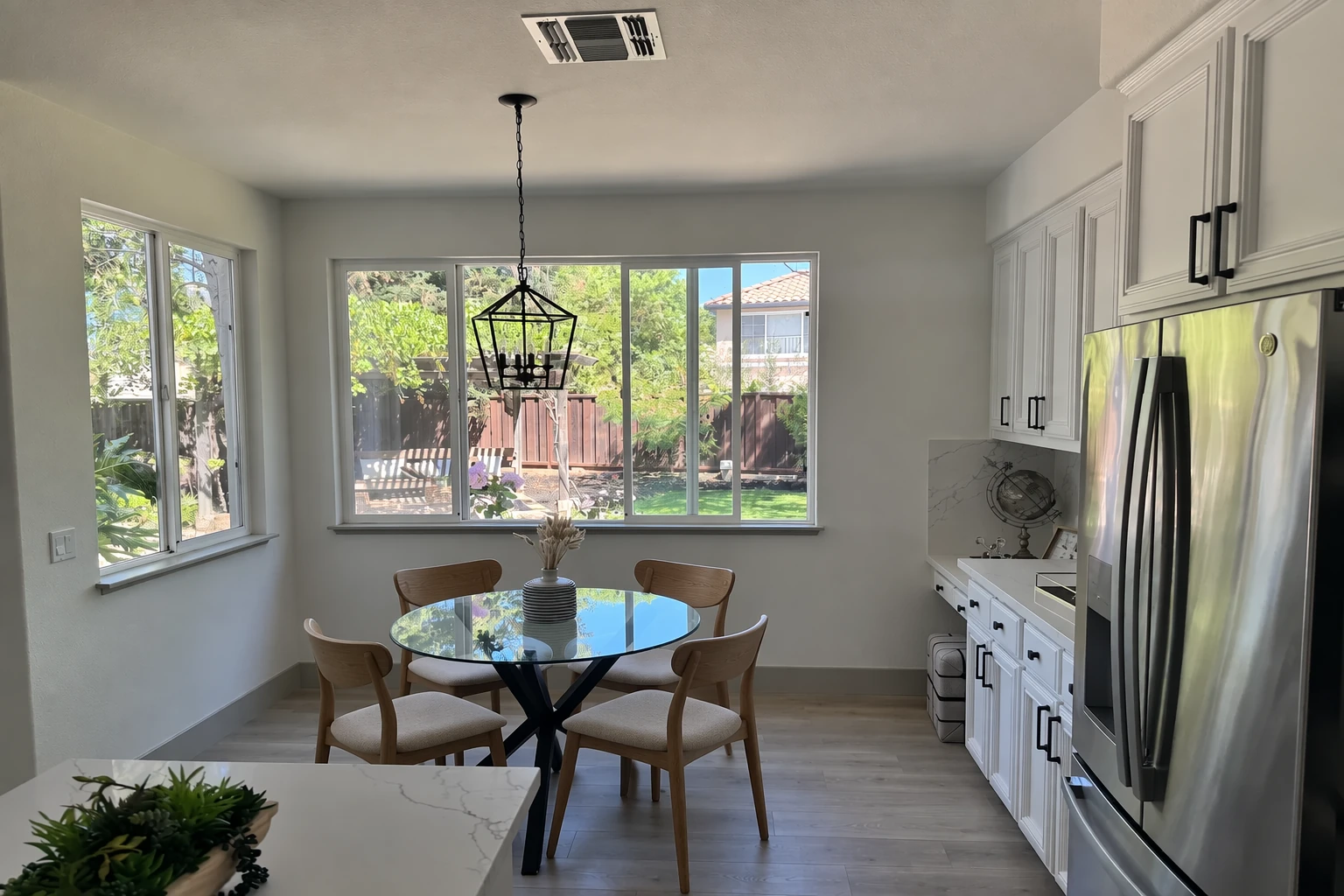
OpenAI’s kitchen example with wooden chairs generated by SunburstOpenAI ↗

Change the chairs, retain the room

Official furniture-edit example.

Upload a room photo. Official settings: 1536×1024, medium quality.

How to adapt this prompt

Identify the furniture to replace and the room details to preserve. Check scale, contact shadows, perspective, and whether nearby objects changed unintentionally.

Link to this example
Read full prompt

In this room photo, replace ONLY the white chairs with chairs made of wood. Preserve camera angle, room lighting, floor shadows, and surrounding objects. Keep all other aspects of the image unchanged. Photorealistic contact shadows and fabric texture.

View source ↗
Official prompt
Editing08
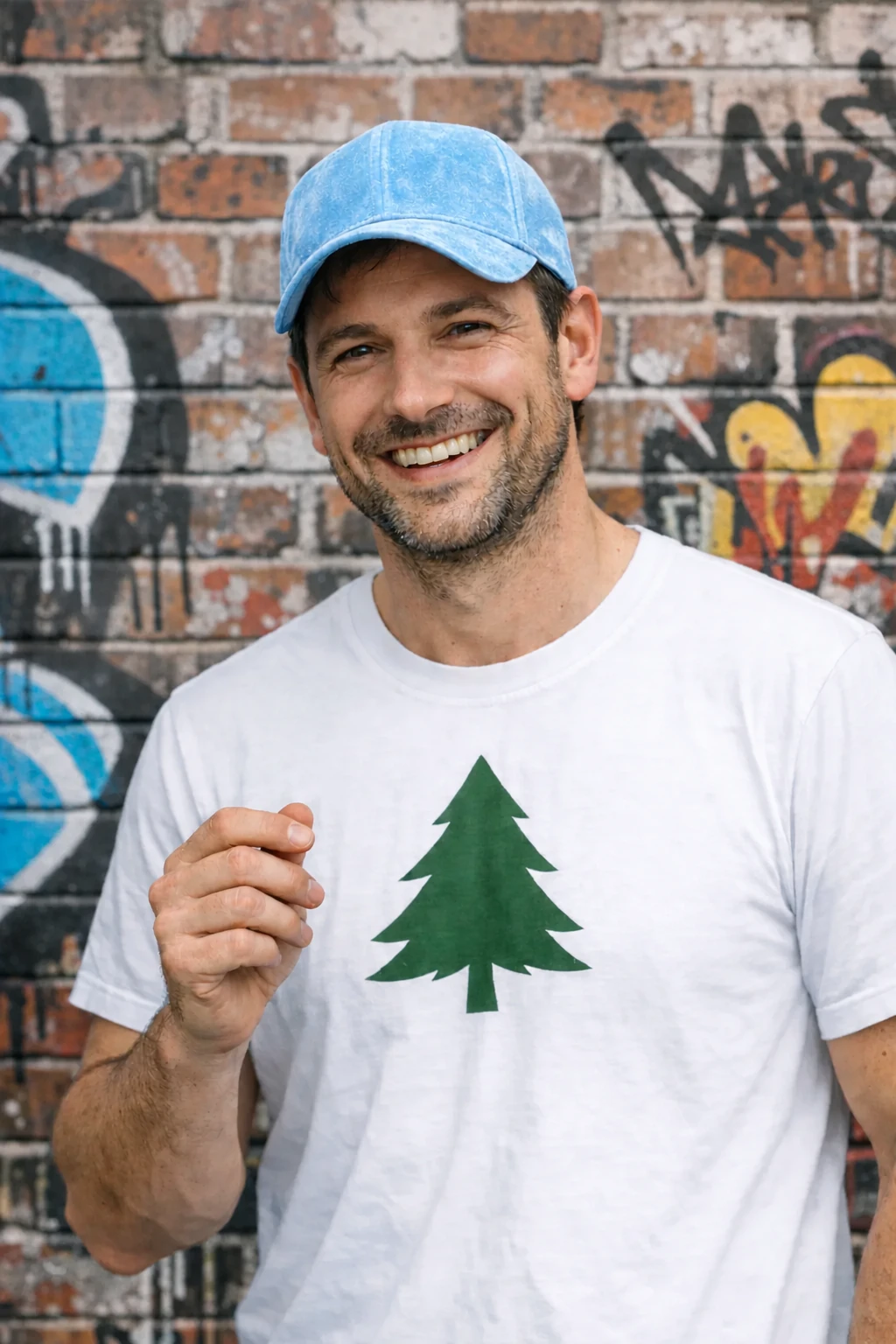
OpenAI’s edited portrait after the flower is removedOpenAI ↗

Remove one object

Official object-removal example.

Upload a portrait with an object to remove.

How to adapt this prompt

Name the removable object and keep the preservation instruction. Inspect the newly exposed hand and background closely; removal also requires reconstructing what was hidden.

Link to this example
Read full prompt

Remove the flower from man's hand. Do not change anything else.

View source ↗
Official prompt

YOUR NEXT IMAGE STARTS HERE

A world beneath the reflection

A cinematic scene with an impossible reflection.

What you need

Text-to-image. The author specifies a 2.39:1 composition.

Before you publish

Compare the result with your brief before publishing.

Johnny Wang · @JohnnyWang8802

GPT Image 2.5 · author-reported. Image and prompt credited to the linked source. Results have not been independently reproduced here.

Johnny Wang’s source image of a farmhouse reflected above an immense submerged structure
Source result
Original source prompt

The source image illustrates the original prompt. Your edits can produce a different result.

In Banana Pro AI Studio, choose an available model and paste your prompt. This page does not select or run GPT Image 2.5.

How do you write a GPT Image 2.5 prompt?

Start with the subject and the result you need. Describe the composition, lighting, style, and any exact text. For an image edit, identify the change and explicitly name what should remain unchanged. Reference-dependent examples need an input image; copying their text alone does not recreate the original setup.

  1. Choose a comparable example. Match your task: create a new image, edit one image, or combine references.
  2. Replace the brief, not just a keyword. Adjust the subject, setting, output format, and wording together so the instructions do not contradict each other.
  3. Review before iterating. Check text, identity, geometry, and unchanged areas. Change one part of the brief at a time so the next result is easier to assess.

This is Banana Pro AI’s adaptation guidance. The source prompts remain unchanged in the gallery. For model-specific examples, see the OpenAI image prompting guide.

Which prompt approach fits your task?

Three ways to use an image prompt
ApproachBringWrite in your prompt
Text to imageAn idea or briefSubject, composition, lighting, and exact text.
Edit a referenceYour original imageWhat changes and what stays the same.
Use multiple referencesClearly identified input imagesWhich image supplies the subject, style, or layout.

How were these examples selected?

Banana Pro AI curates examples that pair a readable prompt with an original result image and a direct source link. This collection contains three official examples and five community examples. Lists without a verifiable prompt–image pair were excluded. Community model labels are author-reported; these examples are not independent performance tests. Source artwork belongs to its respective creators.

Explore the original examples

About these prompts and images

Are these the original example images?

Yes. Each example displays images from its linked creator post or OpenAI documentation. Creator credits and comparison panels are preserved. Community model labels reflect the author’s claim; these results have not been independently reproduced by Banana Pro AI.

Will copying a prompt reproduce the same image?

Results vary. Reference images, model choice, settings, and generation randomness affect the output. Supply your own references where an example requires an input image. Editing a prompt also changes what you can expect.

How do I use a prompt in Banana Pro AI?

Customize the text, then use Copy & open studio. Paste it into the generator and choose an available model. Check the model selector for current availability. You can also explore our AI tools, image editor, or plans.

Can I reuse the example artwork commercially?

The images are credited references, not stock assets supplied under a Banana Pro AI license. Check the original creator’s terms for reuse. Create your own output using references you have permission to use.