
Hy Image 3.5 is Tencent Hunyuan's next image model, and it changes the shape of the request more than the shape of the picture. Where Hy Image 3.0 asked for one text prompt, Hy Image 3.5 Preview is documented around a chat-style messages request that can carry text plus reference images across several turns. That makes it a natural fit for editing loops, not just one-shot generation.
This guide separates what Tencent's documentation confirms from what is still moving in a preview release, then gives you three complete prompts you can reuse. Everything is checked against Tencent's official Hy image guide.
| Item | What is confirmed |
|---|---|
| Models | Hy-Image-3.0 (hy-image-v3) and Hy-Image-3.5-Preview (hy-image-v3.5-preview) |
| Request style | Hy 3.5 uses an OpenAI-style messages array; Hy 3.0 takes a single prompt |
| Capabilities | Text-to-image, reference-to-image, and documented multi-turn editing |
| Sizes | Hy 3.5 area presets reach 2K; an explicit size string reaches 4096 x 4096 |
| Control | seed, generate_max_pixels, session, footnote, and a search tool flag |
| Response | Synchronous. The provider returns the final image in the same call |
| Try it online | Hy Image 3.5 model page for the current browser workspace |
What's new in Hy Image 3.5?
Four changes matter if you already use Hy Image 3.0.
A chat-style request. Hy 3.5 takes a messages array instead of a single prompt field. The provider reads the last user message as the current instruction and passes earlier messages as context. That is what makes multi-turn editing possible.
Multi-turn editing with assembled history. Every response can include an assembled_history array. Append it to the next request's messages and the model keeps the edit chain. The documented shape uses user, assistant, and tool roles, with image content echoed back as image_url entries.
Wider size control. The area parameter generate_max_pixels accepts three presets: 1048576 (1K), 2359296 (1.5K, the default), and 4194304 (2K). For anything larger, pass an explicit size such as "4096x4096". Width and height each run from 256 to 8192, and the area cannot exceed 16,777,216 pixels.
More model-side helpers. The documentation describes chain-of-thought prompt rewriting, an optional external search tool, a repeatable seed, and a footnote string up to 16 characters that renders in the bottom-right corner.
One caution about launch coverage. The 2K and 4K figures that circulated look contradictory, but both come from the same document: the area preset tops out at 2K, while an explicit size reaches 4K. If a summary says only "2K" or only "4K", it is describing a different parameter. Because the model is still a preview, treat every limit as subject to change and confirm against the provider.
The provider endpoint documented for Hy 3.5 is POST https://tokenhub.tencentmaas.com/v1/wand/hunyuan-image/v35-generation with model: "hy-image-v3.5-preview". Input can be a public image URL or a base64 data URL, up to 20 MB per image and about 20 images total.
How the examples were made. Every image in this guide is an original illustration generated with OpenAI image generation in Codex. None of them is a Hy Image 3.5 output, because the model is not connected to this site's live workspace yet. Treat them as target references for the prompts, not as a benchmark.
Three Hy Image 3.5 workflows with copyable prompts
Each case below has a goal, the input it expects, a full prompt, and the one failure most likely to cost you a run.
1. Text-rich event poster
Goal: produce a poster where the headline, date, and location are readable at a glance. Text rendering is the task most people use to judge a Hunyuan image model.
Input: none. Text-to-image.
Create a vertical event poster for a trail race. Exact headline in large condensed capitals: "FIRST LIGHT RUN". Below it, smaller: "5 OCT · DESERT RIDGE · 6 AM". A small runner silhouette on a ridge at sunrise, warm crimson and sand palette, clean grid, generous empty space, no other words, no logos, no watermark.
Illustration: the finished poster a text-to-image prompt like this one targets.
What to watch: long secondary lines break first. If the date or place comes back garbled, shorten each line to a few words and ask for a larger type size. Check the result at full size and keep the required text short enough to proof character by character. When you want to iterate on wording quickly without a provider setup, create an AI poster in the browser first and lock the copy.
2. Product scene edit
Goal: keep a product exactly as photographed and change only its surroundings. This is the reference-edit path, not a redesign.
Input: one studio product photo on a plain background.
Keep the uploaded running shoe exactly as it is: same shape, proportions, mesh, sole, laces, color, and stitching. Place it on a wet basalt rock above a mountain lake at sunrise, add drifting mist and a soft contact shadow, keep the shoe sharp and the background slightly out of focus. Photorealistic product campaign photograph, 4:5. Do not redraw the product, do not add logos or text.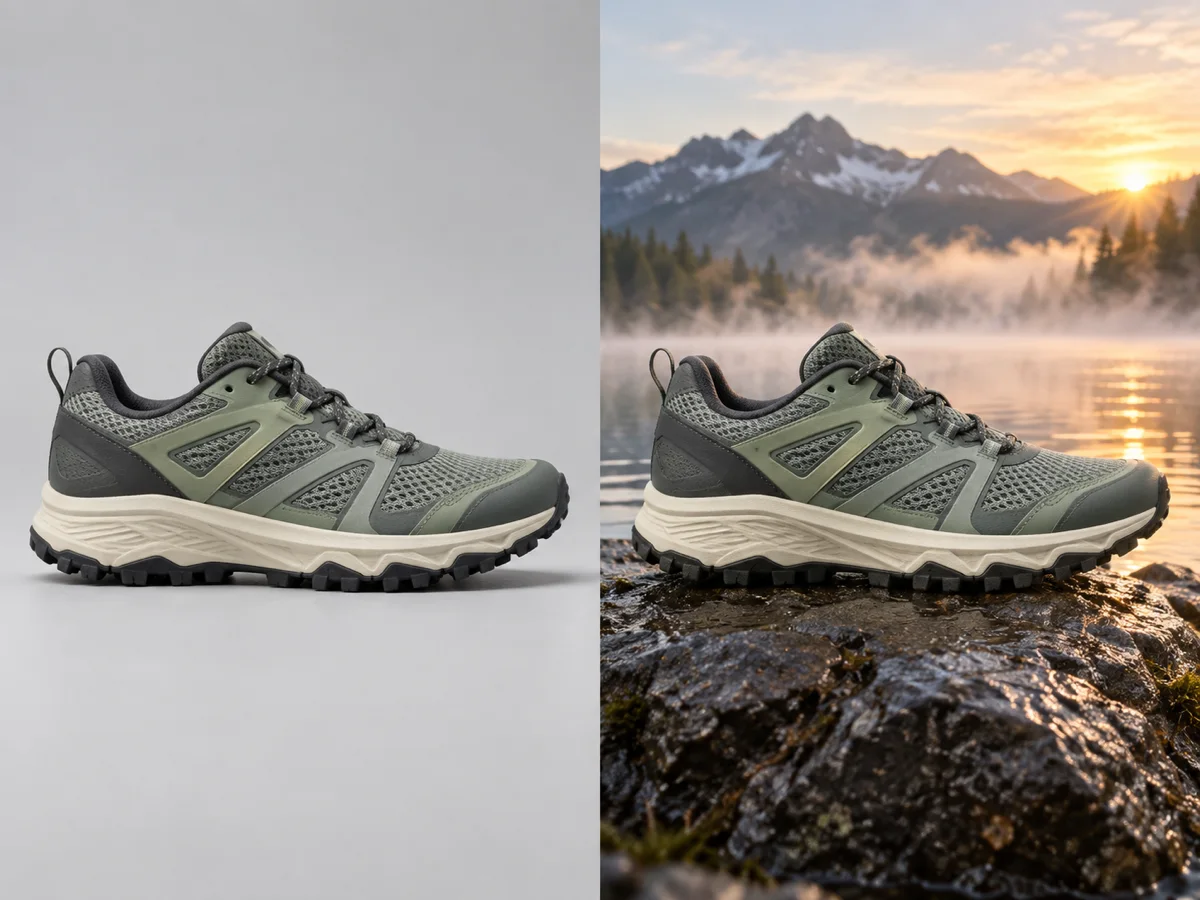
Illustration: input (left) and the scene-edited result (right). The product should not change between the two.
What to watch: editing models often "improve" a product while they move it. List the parts that must not change, then compare input and output side by side at full size. If the product drifts, describe only the new environment and drop any wording that could be read as a redesign. You can rehearse the same before-and-after on your own catalog image with AI product photos.
3. Character consistency across turns
Goal: keep one fictional subject recognizable after the scene changes. This is where the chat-style protocol is supposed to earn its keep.
Input: none, or one approved reference image of a fictional character.
Shot one: a fictional courier in a rain-soaked neon alley at night, olive field jacket, short dark hair, a small scar above the left eyebrow, cinematic still, shallow depth of field. Shot two: the same character, same face, same jacket and scar, now at a sunlit desert bus stop, matching identity and proportions. No text, no logos.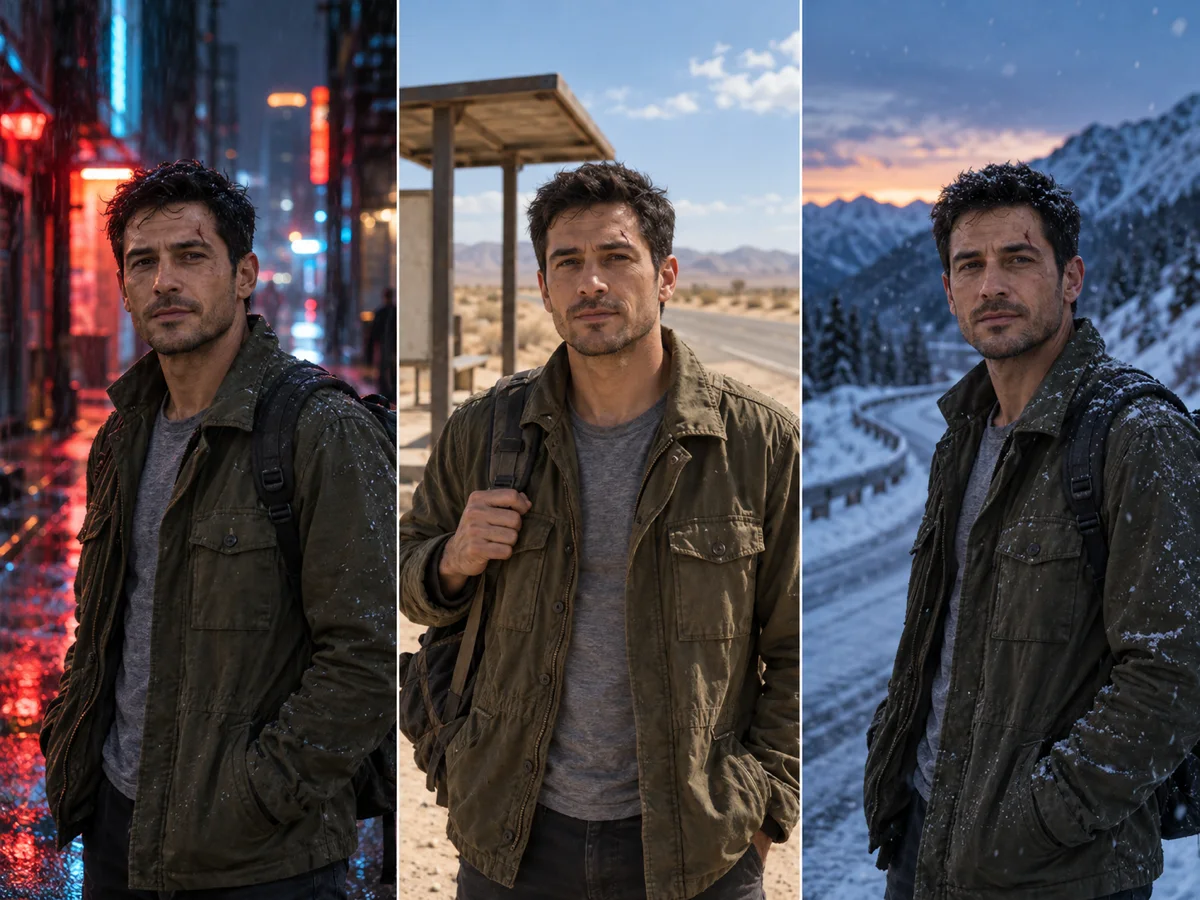
Illustration: one described character across two scenes. Identity should stay stable; lighting should change.
What to watch: across turns, identity details quietly drift. Give the model a short invariant list — jacket, hair, scar — and change only one variable per turn. Keep the same session value so multi-turn requests land on the same inference instance, and compare the first and last image at full size. If a detail disappears, restate it at the top of the next message rather than rewriting the whole prompt. Plain single-image prompt edits work the same way in the AI image editor.
How to use Hy Image 3.5
There are two routes, and they are not interchangeable.
Through the provider API. Create a Tencent Cloud account, enable TokenHub, and send a messages request to the documented endpoint with model: "hy-image-v3.5-preview". You set size or generate_max_pixels, optionally seed, session, footnote, and use_search_tool. The call is synchronous, so you get the final image back in the response rather than polling a task. This route bills you directly with Tencent, and the rate there is not a Banana Pro AI price.
Through a browser workspace. The Hy Image 3.5 model page explains the model and provides the live creation entry on this site. That workspace currently executes GPT Image 2.5 Flare or Sunburst, and it labels the model that actually ran on the form, the credit quote, the saved task, and the result. It is not a Hy inference connection, and we do not relabel its output as Hy Image 3.5.
A practical loop that works in either route:
- Write one brief with a subject, a scene, one light direction, and the parts that must stay unchanged.
- Put any exact words in quotation marks and keep them short.
- Choose a mode: text to image for a new picture, reference edit for an existing one.
- Set a size or an area preset, and reuse a
seedwhen you want to compare changes. - Inspect text, edges, and identity at full size, then change one variable per retry.
- Keep the prompt next to the file you accepted so you can reproduce it later.
Which workflow fits you
- Text-led posters and infographics. Use Hy 3.5 when the deliverable is a layout with a short, exact headline. Proof every character before publishing.
- Product and scene edits. Use reference input when the product must survive the edit. Name the invariants and compare against the source.
- Character and style continuity. Use the multi-turn path when a subject has to stay recognizable across several shots. Reuse
session, and restate invariants each turn. - Fast browser iteration. Use the workspace on this site when you want a result now, with a fixed credit quote and a recoverable task, and you are comfortable with GPT Image 2.5 as the execution model.
Version and cost questions
| Question | Hy Image 3.0 | Hy Image 3.5 Preview |
|---|---|---|
| Model ID | hy-image-v3 | hy-image-v3.5-preview |
| Input | One text prompt, up to 8192 characters | Messages payload, up to 100k tokens |
| Editing | Reference-to-image generation | Documented multi-turn editing |
| Sizes | Sides 512-2048, area up to 1024 x 1024 | Area presets to 2K; size up to 4096 x 4096 |
| Extras | Prompt rewrite, 37 presets, watermark | CoT rewrite, search tool, seed, session, footnote |
Cost is the part to be careful about. A figure near $0.024 per image has circulated in launch coverage of Hy Image 3.5, but this guide could not verify it against Tencent's current pricing page, and a provider rate is not what this site charges. Pricing in the Banana Pro AI workspace comes from the site's own credit configuration and is shown before you submit. If you need an exact provider number, read Tencent's billing page for your region instead of a summary.
FAQ
Is Hy Image 3.5 the same as Hunyuan Image 3.5?
Yes. "Hy Image 3.5", "hunyuan image 3.5", and "hy-image-3.5" all refer to the same Tencent Hunyuan model line. The API ID is hy-image-v3.5-preview.
Can I use Hy Image 3.5 online right now? Not through this site's live workspace yet. The model page explains the preview and offers a real creation entry that runs GPT Image 2.5, with the execution model clearly labelled.
What resolution does it really support — 2K or 4K?
Both numbers come from the same document. The generate_max_pixels area presets stop at 2K, while an explicit size such as "4096x4096" reaches 4K. The requirement is that width and height stay within 256-8192 and the area stays under 16,777,216 pixels.
Does it support image-to-image?
Yes. The messages content accepts image_url entries alongside text, so you can supply a reference image and ask for a change. Public URLs and base64 data URLs are both documented.
Is it free? No. Hy Image 3.5 is a hosted API model. Tencent bills you for provider calls, and this site's workspace uses its own credits. Check the provider's current pricing before you plan volume.
What does "Preview" mean? It means the model is published for evaluation while the provider keeps iterating. Behaviour, limits, and pricing can change before general availability, so re-test your own prompts and confirm details against the official guide before depending on it in production.
Start creating from a clear brief
The fastest way to prepare for Hy Image 3.5 is to practise the workflows on a model you can run now. Open the Hy Image 3.5 model page, load one of the briefs above into the workspace, and keep the wording that survives. Then read the official Tencent Cloud guide for the exact message schema before you build a provider integration.
