
Nano Banana 2.1 AI Image Generator & Editor
Generate from text or edit up to 14 reference photos
Write a prompt for a new image, or upload reference photos and describe the change. Pick the size, check the credits, then download the PNG or keep editing it.
Enter a prompt of at least 3 characters.
Three briefs to start from
A poster with exact copy, a product edit that keeps its label and a scene built from three references. Copy any prompt into the workbench above.
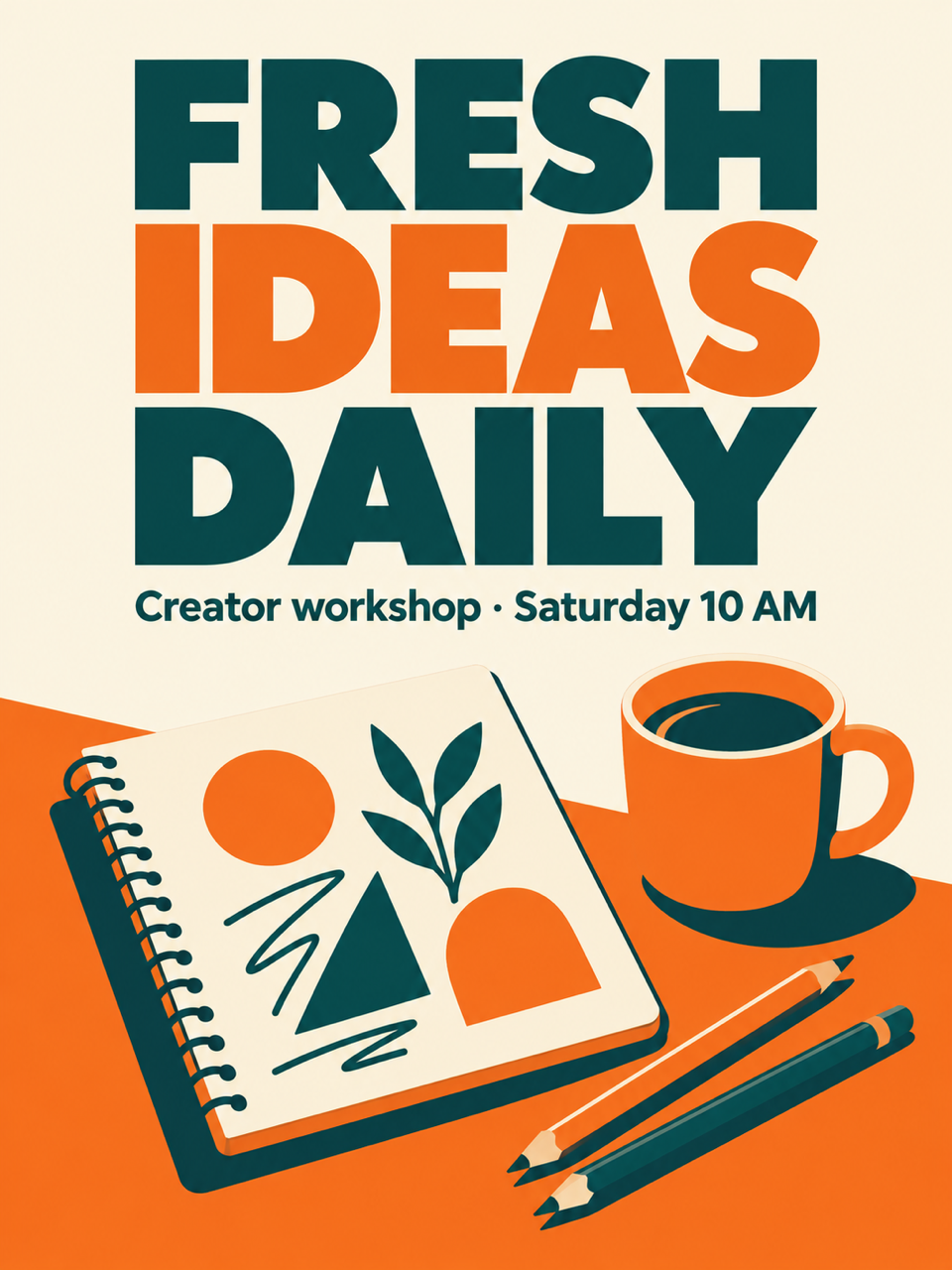
Poster with the exact headline “FRESH IDEAS DAILY”
Spell the headline in quotation marks, say how it should be set, and name everything else that may appear. Check the letters at full size before you publish, and generate again with the exact wording if anything slips.
- Text only
- 3:4 poster
- Exact headline
A 3:4 poster for a creator workshop. Headline in bold sans-serif capitals, spelled exactly “FRESH IDEAS DAILY”. Small subline “Creator workshop · Saturday 10 AM”. Open sketchbook, coloured pencils and a coffee cup on a warm cream background, orange and teal accents, generous margins, no other text.
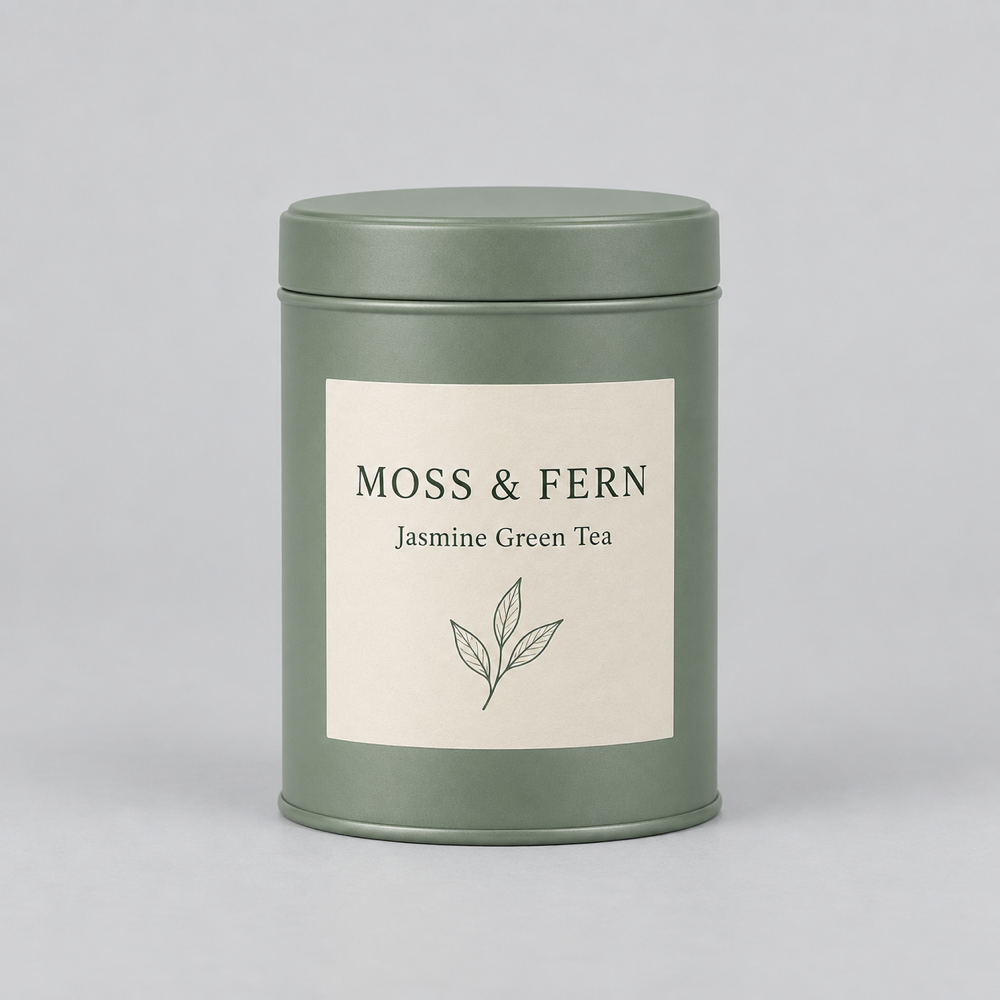
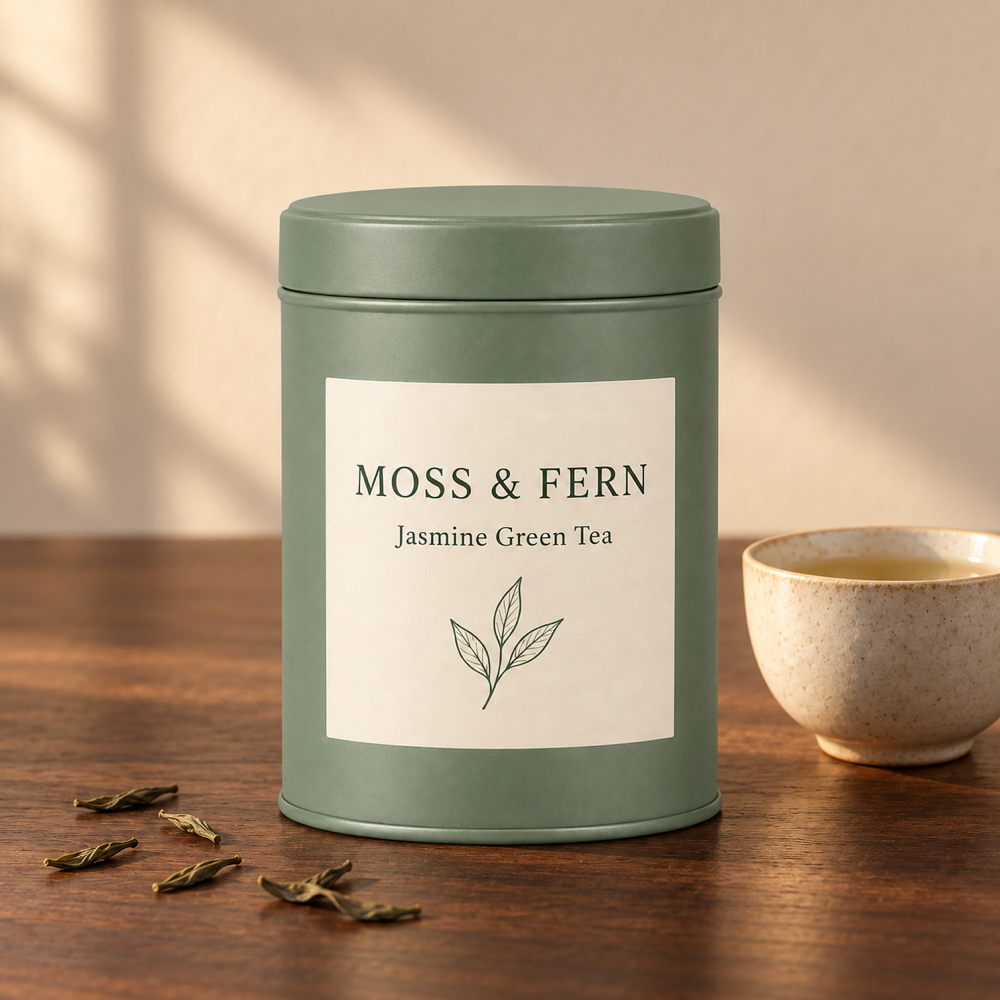
Product edit that keeps the label
Upload the product shot, describe the new scene and list what must not change: shape, colour and the label wording. Open both images at full size to compare the label letter by letter.
- 1 reference
- New scene
- Label unchanged
Place this tea tin on a walnut table next to a white teacup and a few loose tea leaves, warm morning light from the left. Keep the tin shape, colour and the label text “MOSS & FERN / Jasmine Green Tea” exactly as they are.
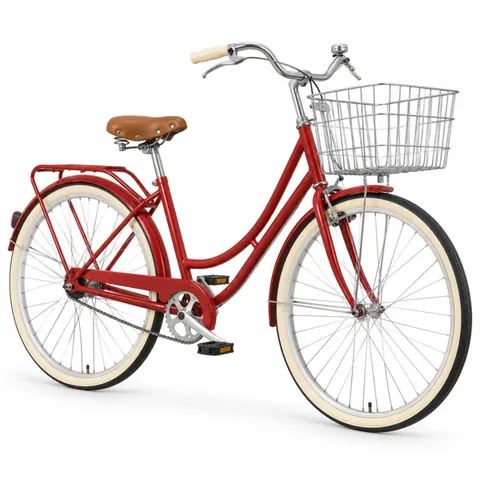 1Image 1: Bicycle
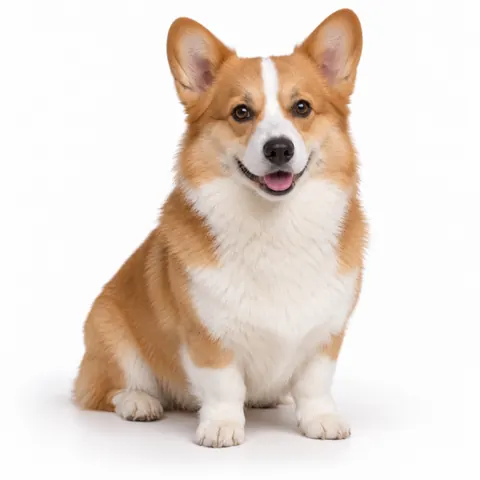 2Image 2: Corgi
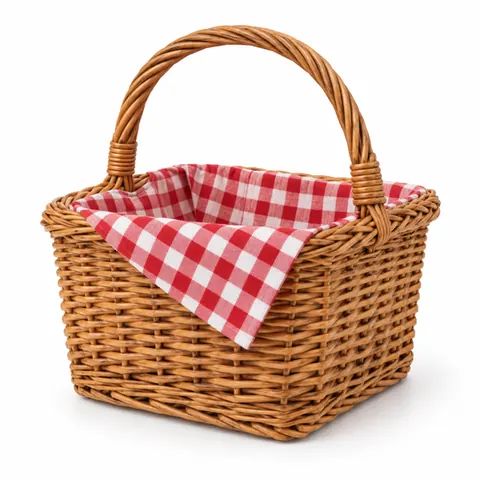 3Image 3: Basket
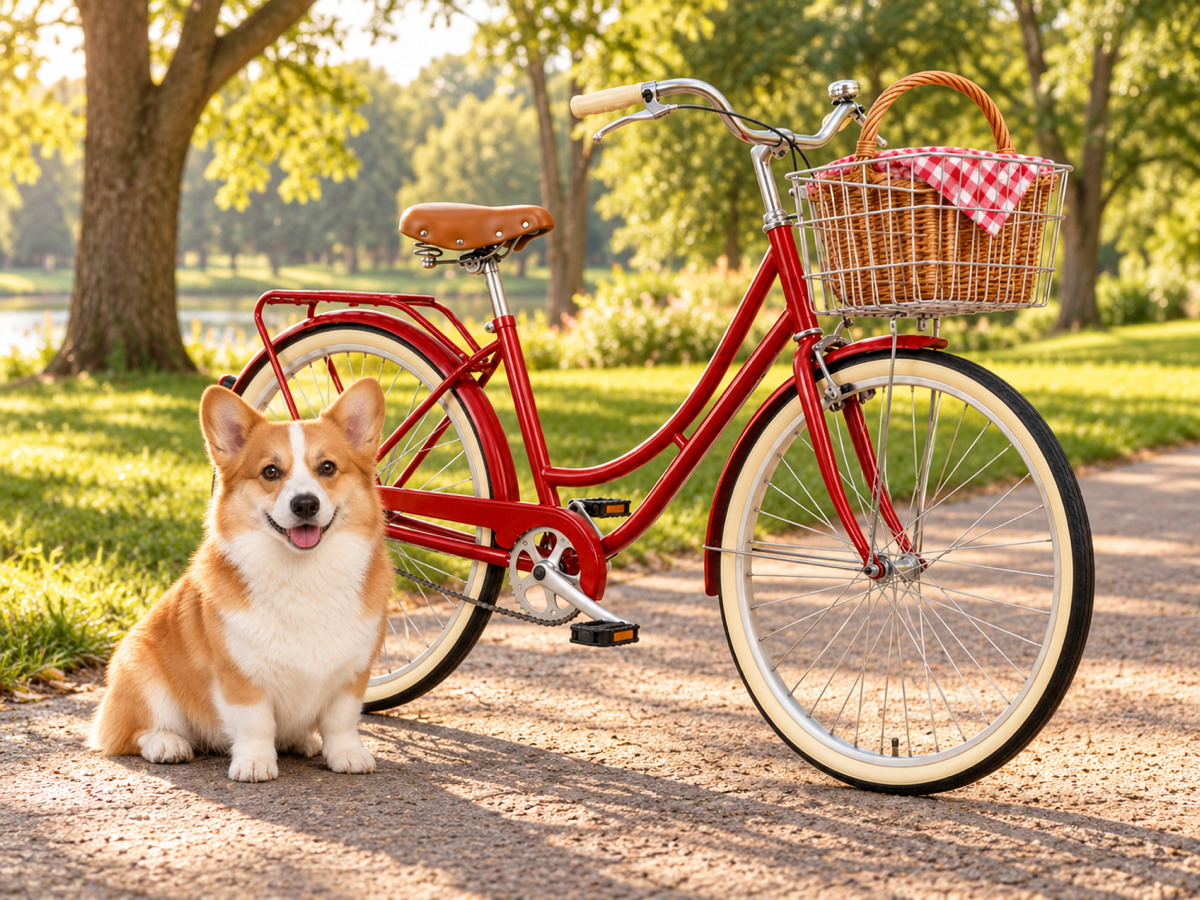
Three references combined into one scene
References are sent in the order you arrange them, so the prompt can point at each one by number. Put the main subject first and reorder the thumbnails rather than rewriting the prompt.
- 3 references
- Numbered in the prompt
- 4:3 scene
Combine the references into one photo: image 1 is the red bicycle, image 2 is the corgi sitting beside it, image 3 is the wicker basket with a checked cloth in the front basket. Park path at golden hour, natural shadows, 4:3.
What is Nano Banana 2.1?
Nano Banana 2.1 is a Google image model that creates new pictures from a text prompt and edits existing ones from reference photos. Google released it in October 2026 with improvements to text rendering, instruction following, consistency and wide compositions. On Banana Pro AI you give it a prompt and up to 14 references, and get back one PNG at 1K, 2K or 4K.
- Developer
- Generates from
- A text prompt, or a prompt plus reference photos
- Reference photos
- Up to 14 · JPG, PNG or WebP · 10 MB each
- Aspect ratios
- 1:1, 4:3, 3:4, 16:9, 9:16, or Auto when editing
- Resolution
- 1K, 2K or 4K · one PNG per run
- Prompt length
- 3–10,000 characters
- Credits
- From 20 per image
How to use Nano Banana 2.1
Four steps with the controls in the workbench above. Adding a reference photo turns the run into an edit; without one it creates a new image from your text.
- 1
Write the prompt
Describe the subject, layout, materials and light in at least 3 characters. Put any exact words in quotation marks.
- 2
Upload references to edit
Use the image button in the toolbar, or drop files on the box, to add up to 14 photos. Preview, reorder or remove them. With no reference the run is a new image from text.
- 3
Set the ratio and resolution
Pick 1:1, 4:3, 3:4, 16:9 or 9:16, or Auto to keep a reference’s framing, and 1K, 2K or 4K. The credit cost on the Generate button updates with every change.
- 4
Generate, then continue
Each click starts one task. Open the result at full size, download the PNG, or use it as the reference for the next edit.
Nano Banana 2.1 vs Nano Banana 2
Both are Google image models for generating and editing pictures. Nano Banana 2.1 is the newer release; the table sticks to what Google’s documentation states and to what each page on Banana Pro AI offers.
Prompt tips for e-commerce and creators
Short, specific briefs work best. These habits keep labels, headlines and subjects where you want them.
For e-commerce
Keep packaging text
Quote the label exactly and say “keep the label text unchanged”. Name the shape and colour too, so only the scene moves.
Say what stays and what changes
Write two short lists: elements to preserve and elements to change. Anything you leave out may be reinterpreted.
Match the channel
Choose 1:1 for marketplaces, 4:3 or 16:9 for banners and 9:16 for stories. Use 2K or 4K when the image will be printed or cropped.
For creators
Set type like a designer
For posters give the headline, subline and where each sits, plus “no other text”. Short lines render more reliably than paragraphs.
Number your references
Put the main subject first, then refer to “image 1”, “image 2” and so on. Reorder thumbnails instead of rewriting the prompt.
Refine from the result
When a result is close, use it as the next reference and ask for one change at a time.
Nano Banana 2.1 credits
One price per image, set by the resolution you pick. The Generate button shows it before you submit.
20credits per image
Drafts, social posts and quick checks
35credits per image
Product pages, banners and ads
60credits per image
Print, large crops and hero images
- Same price for new images and edits
- The number of references does not change it
- A failed task returns its credits
Nano Banana 2.1 FAQ
Answers about prompts, references, sizes and credits.
How do I start with Nano Banana 2.1?
Type a prompt of at least 3 characters in the workbench at the top of this page, choose an aspect ratio and a resolution, then generate. You need a Banana Pro AI account and enough credits to run it.
How do I edit a reference photo?
Upload up to 14 JPG, PNG or WebP images, 10 MB each, with the image button in the workbench. They are sent in the order shown, so move the main subject to the first slot and refer to the others as image 2, image 3 and so on in the prompt.
What output sizes can I choose?
Pick 1:1, 4:3, 3:4, 16:9 or 9:16 and a resolution of 1K, 2K or 4K. When you edit a reference you can also choose Auto to keep its framing. Each run produces one PNG.
How is Nano Banana 2.1 different from Nano Banana 2?
Nano Banana 2.1 is the newer Google release in the same family. Google’s documentation highlights better text rendering, instruction following, consistency and wide compositions. Nano Banana 2 keeps its own page and workflow on Banana Pro AI.
How do I download or keep editing a result?
Open the finished image to view it at full size, download the PNG, or choose “Use as reference” to add it to the references and describe the next change.
How many credits does an image cost?
20 credits at 1K, 35 at 2K and 60 at 4K. The workbench shows the cost for your settings before you submit, and a failed task returns its credits.
Can I paste a long brief?
Yes. Prompts can be up to 10,000 characters, which leaves room for exact copy, layout notes and a list of what must stay unchanged.